
Chrome extension
AI Form Filler
Fill any web form with AI in one right-click
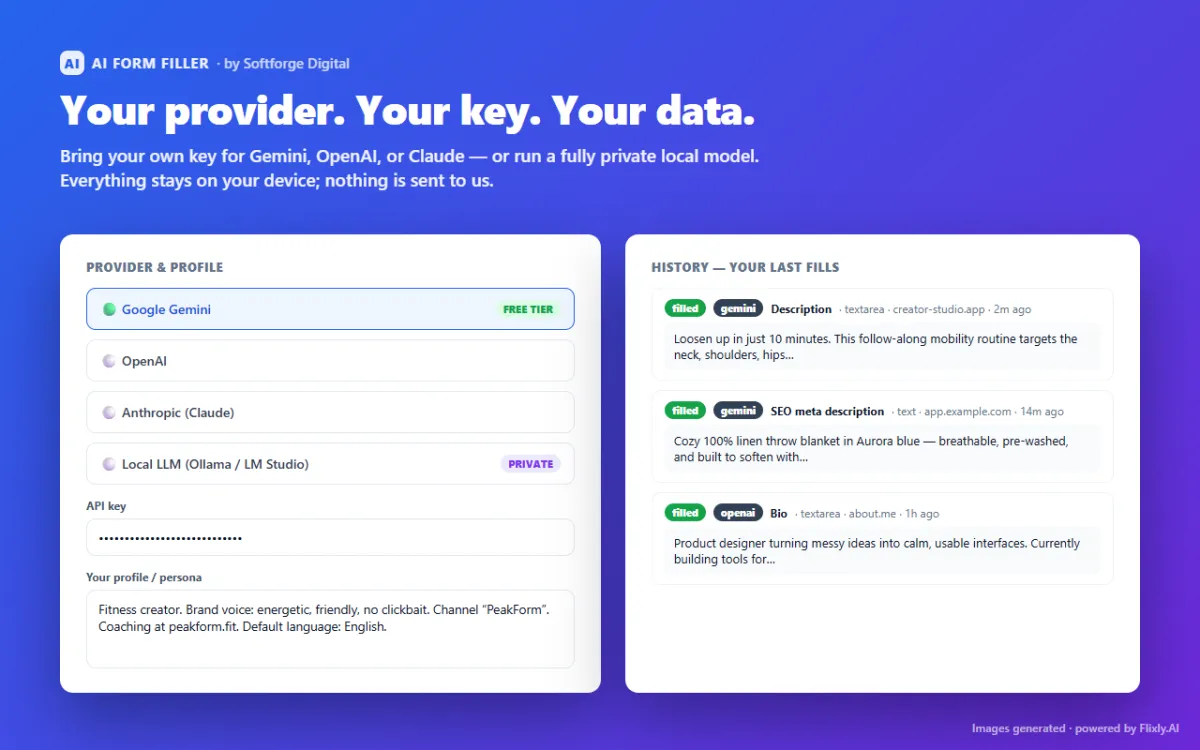
AI Form Filler is a Chrome extension that fills any input or text area with AI using the context already on the page — other fields, page text you pick, and a saved profile. It works with Google Gemini, OpenAI, Anthropic Claude or a local LLM (Ollama, LM Studio, llama.cpp), with no servers and no tracking.
What AI Form Filler does
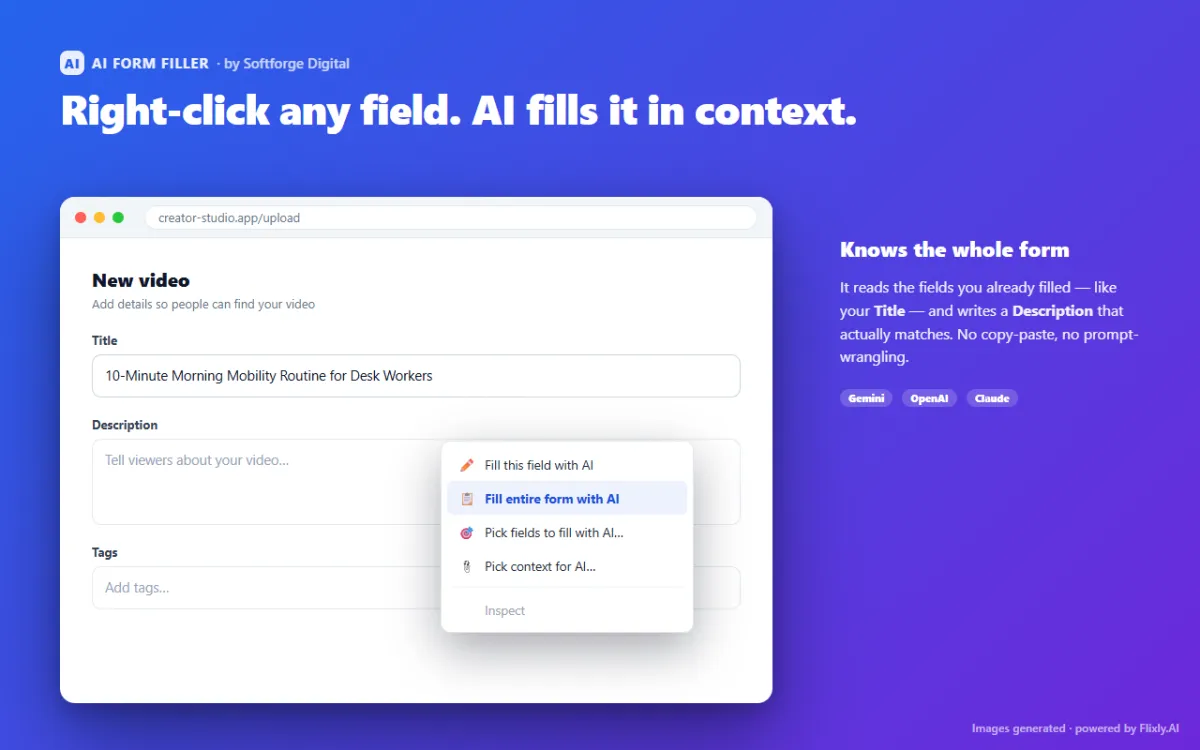
Autofill knows your address but not what to write in a description, a cover note or a support ticket. AI Form Filler generates field values that match the rest of the form: type a video title, right-click the description, and it writes one that fits.
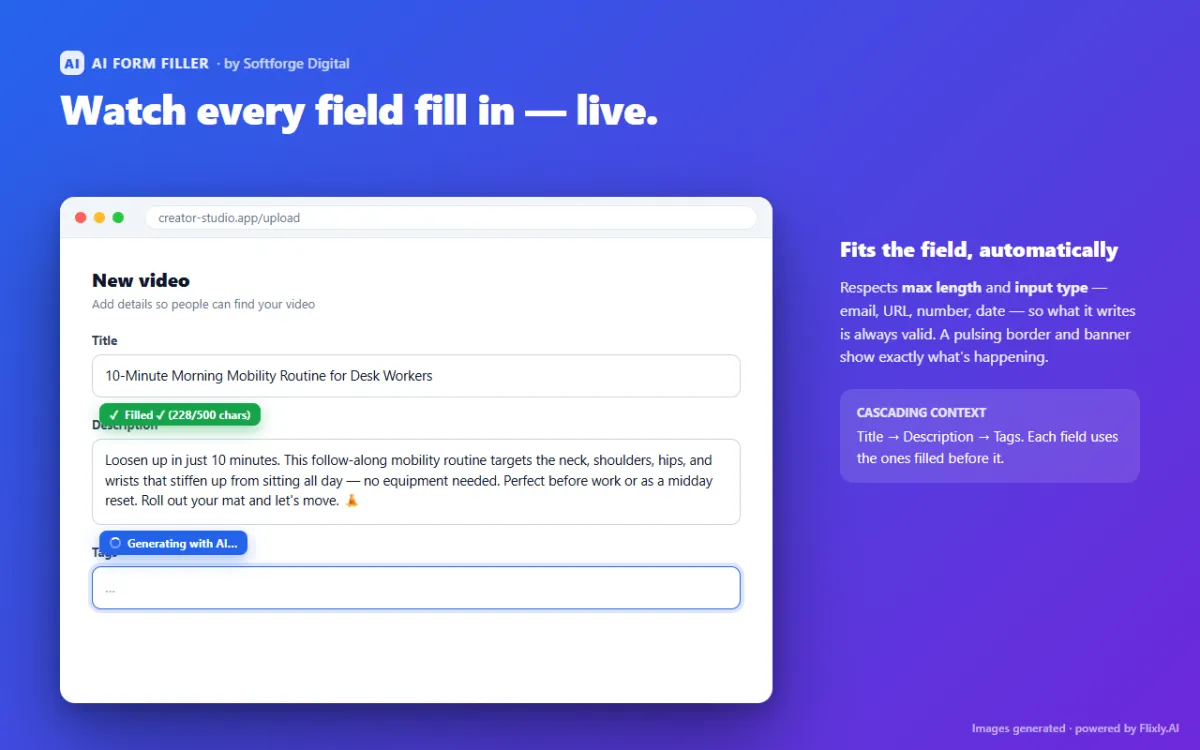
It is bring-your-own-model: prompts go directly from the browser to the provider you choose, or stay on your machine with a local model. Generated values respect each field's max length and input type so they validate.
Key features
Four fill modes
Fill this field, fill the entire form, pick specific fields, or pick extra page context.
Context-aware
Each field benefits from the ones filled before it and from your saved profile.
Bring your own AI
Google Gemini (free tier), OpenAI, Anthropic Claude, or local models via Ollama, LM Studio or llama.cpp.
Respects validation
Honours max length and input types such as email, URL, number and date.
Private by design
No servers, tracking or analytics; keys and history stay in the browser.
Who it is for
- Job seekers and freelancers
- Content creators filling upload forms
- QA testers
- Support and operations teams
AI Form Filler FAQ
- Which AI models work with AI Form Filler?
- Google Gemini, OpenAI, Anthropic Claude, or a local model running in Ollama, LM Studio or llama.cpp.
- Can AI Form Filler run without sending data to the cloud?
- Yes. With a local LLM nothing leaves your computer. With a cloud provider, prompts go directly to that provider and nowhere else.
- Does a ChatGPT Plus or Claude Pro subscription work?
- No. Chat subscriptions do not include API access. Use an API key, Gemini's free API tier, or a local model.