Operations
Mini PC Home Lab Tutorial
Build a mini pc home lab for local testing with this tutorial covering hardware choices, OS install, and workflow setup for small teams and developers at softforge.digital.

Relevant Amazon searches
These links point readers to current Amazon listings. We avoid fixed prices here because product pricing and availability change often.
Wide Mouth Lab Reagent Bottles 250ml (8oz), 4 Pcs Sample Bottles, Sealed Leak-Proof Water Sample Container for Lab Scientific Experiments Home Travel, White
A compact way to run test services, automation jobs, staging tools, and local experiments without tying up a laptop.
- 32 GB RAM option
- NVMe storage
- Quiet cooling
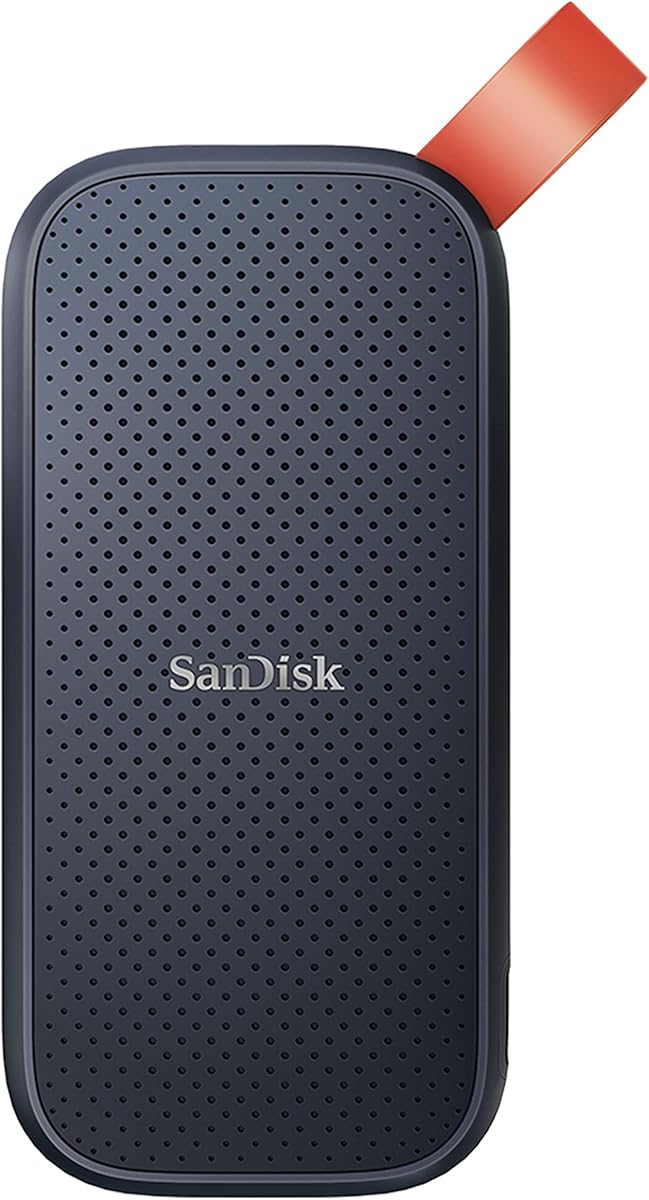
SANDISK Portable SSD 1TB (Read speeds up to 800 MB/s, USB 3.2 Gen 2, USB-C, NVMe Solid State Performance, Updated firmware, fastening loop made of durable rubber) Black
Useful for snapshots, database dumps, and quick rebuilds when the lab box is treated as disposable infrastructure.
- USB-C
- Fast restore path
- Offline backup rotation
A mini pc home lab is a compact computing setup using small form factor PCs for experimenting with servers, networking, and software in a home environment. It is not a full-scale data center or a replacement for cloud services but a hands-on way to learn and test configurations locally.
Hardware Selection Criteria
Mini PCs vary in processor type, RAM capacity, and storage options. Select models with at least an Intel i5 or AMD Ryzen 5 equivalent, 16 GB of RAM minimum, and support for NVMe drives. Look for units that include multiple USB ports and Gigabit Ethernet for reliable connectivity. Examples include the Beelink SER5 with its 8-core processor or the Minisforum UM790 Pro that offers 32 GB configurations. These choices affect how many virtual machines you can run simultaneously without performance drops.
Consider power draw as well. Many units consume under 65 watts under load, which keeps electricity costs low during 24-hour operation. Check for fan noise levels if the lab sits near a workspace. Warranty periods typically run 1 to 3 years, so factor in support availability when buying from regional sellers.
Our editorial policy outlines how we evaluate hardware without relying on paid placements. Visit the about page to see our testing approach for similar setups.
Operating System Installation
Install Proxmox or Ubuntu Server as the base layer. These platforms support virtualization out of the box and allow easy addition of containers later. Download the ISO from official sources, write it to a USB drive with at least 8 GB capacity using Rufus or dd, then boot the mini PC from that media.
After the first boot, partition the drive to allocate space for the hypervisor and any data volumes. Set a static IP address during setup to avoid DHCP conflicts on your network. Enable SSH access immediately so you can manage the system from another machine without a monitor attached.
Network Configuration Steps
- Connect the mini PC to your router using a Cat6 cable for stable 1 Gbps speeds. Confirm link status in the OS with the ip link command.
- Assign a static IP in the 192.168.1.100 range or higher to prevent overlap with other devices. Edit the netplan or interfaces file accordingly and apply the changes.
- Install a reverse proxy like Nginx Proxy Manager inside a container for routing traffic to internal services. Map port 80 and 443 from the host.
- Set up VLANs on your switch if available to isolate lab traffic from the main home network. This adds a layer of separation for security experiments.
- Test connectivity by pinging external sites and internal VMs from the host. Verify DNS resolution works with tools like dig.
- Configure firewall rules to allow only necessary ports such as 22 for SSH and 8006 for Proxmox web access.
- Monitor bandwidth usage with vnstat over a 24-hour period to establish baseline traffic patterns.
- Document the IP assignments in a simple text file stored on a separate backup drive for quick reference during restarts.
Storage and Backup Practices
Use a 1 TB NVMe drive for the OS and active VMs while adding a 4 TB external USB drive for nightly snapshots. Tools like rsync or Proxmox backup server handle the copies. Schedule jobs to run at 2 AM local time to avoid peak usage.
| Drive Type | Capacity | Interface | Use Case | Backup Frequency |
|---|---|---|---|---|
| NVMe SSD | 1 TB | PCIe 4.0 | OS and VMs | Daily snapshots |
| External HDD | 4 TB | USB 3.0 | Archive data | Weekly full copy |
| Cloud bucket | 500 GB | S3 compatible | Offsite | Monthly sync |
This table shows typical pairings that keep total ownership costs under control for a single-unit lab.
Workflow Integration
Run development environments inside LXC containers or full VMs. For instance, spin up a 4 GB RAM instance for testing Node.js applications or a 8 GB setup for database experiments with PostgreSQL. Track resource usage through the Proxmox dashboard to spot when additional RAM upgrades become necessary.
Connect the lab to your main workstation via SSH keys rather than passwords. Generate a 4096-bit key pair on your laptop and copy the public key to the authorized_keys file on the mini PC. This reduces login friction during daily work.
See the blog section for related posts on storage options. Contact us through the contact form if you need clarification on specific hardware models. Our privacy policy explains data handling for any logs collected during setup.
Where to Start
Begin by ordering a mini PC with 16 GB RAM and installing Proxmox on it this weekend. Then follow the network steps listed above to reach a working state within a few hours.